
How To Photograph A Room For Paint Color E-Design
Step 1: Take Pictures In Natural Light Only
Take pictures of your room in natural light only.
Cell phone pictures are perfect.
Midday works best, 12PM to 2PM for the time to take them. Earlier or later can work as well.
It’s important that you do not take the pictures with artificial lighting, so don’t turn on the lights and don’t use the flash setting in your camera. Both will distort the true color display.
Place the white paper next to décor that you’re keeping and snap a picture.

The white paper allows me to see the true color hues of the things that are staying: trim and permanent fixtures.
Place the white paper next to any wood trim that are isn’t changing and wood furniture that’s staying in the space.

I also need to see the white paper next to upholstery that’s staying in the space as well.
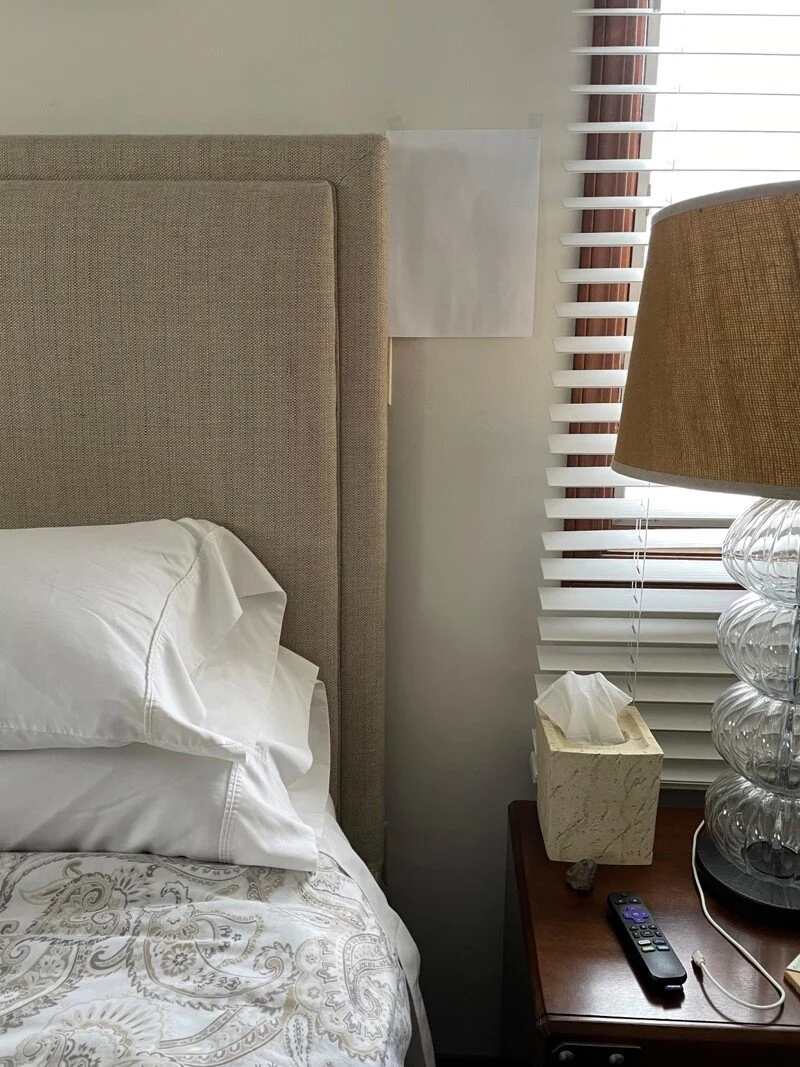
It’s important to see the white paper next to other things like:
Tile
Stone
Paneling
Carpet
Brick
Painted furniture
Window treatments
Area rugs
And anything else that is staying in your room.
Step 2: Photograph Each Wall Straight On

The blue dot represents where you should stand and the orange arrow represents the direction the picture should be taken.
Take a picture of each wall from the center of the opposite wall.
(The room does not need to be empty.)
This is helpful to orientate me to your room since I will not be there in person.
Step 3: Photograph Each Wall Diagonally

Stand in each corner of the room and take a picture of the opposite corner.
This ensures that I get a 360 degree representation of the room and I am able to see where every architectural feature is.
From Your Phone, Computer Or Tablet
Upload all your pictures to me: room pictures and furniture that’s staying. You can upload multiple images in Add Your Files.
Supported files: .jpg, .jpeg, .png, .pdf